Walk a database
Open a record, follow its references both ways, and share the exact place you reached as a link.
npx tablewalk postgres://reader@localhost/crm # or: npx tablewalk --demo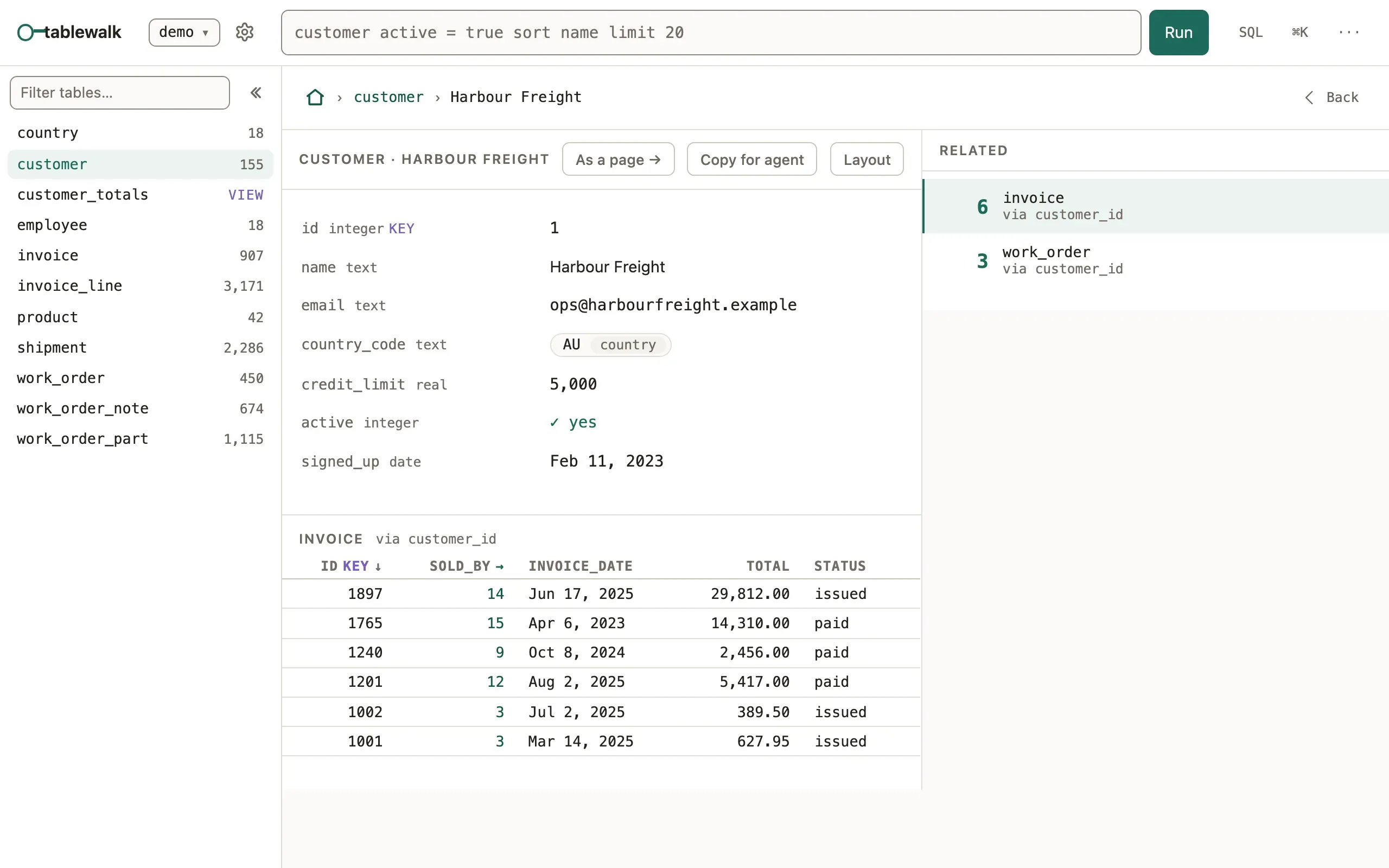
What you’ll see
Section titled “What you’ll see”- A record shows its fields, then every table that points at it, each with a count (zero included).
- A reference such as an invoice’s
customer_idis a link to that customer; a table in the rail opens the rows that point here. - The address changes at each step, so Back, a bookmark and a pasted link all return to the same place.
When to use it
Section titled “When to use it”- Use the walk when you know one record and want what is around it: its parent, its children, their children.
- Use the query language instead when you know the condition
(
invoice total > 500) rather than the record. - Use an App when a team will do the same walk every day: it names the screens and decides who may see what.
Addresses you can write
Section titled “Addresses you can write”The first segment is the connection’s name. Every one of these is a link you can type, paste or send:
| Address | Opens |
|---|---|
/demo/customer |
A table. Any query works here, URL-encoded: /demo/invoice%20total%20%3E%20500 |
/demo/customer/~42 |
The customer whose key is 42 |
/demo/customer/~42/~invoice:9 |
Invoice 9, reached from customer 42 |
/demo/customer!diagram |
A table’s tab: !rows, !ddl or !diagram |
/demo/@customer~42 |
A composed page, rooted at a record |
Each step keeps its filter, and Back restores the view you left. An App has its own canonical addresses.
JSON columns
Section titled “JSON columns”A json or jsonb column (SQLite JSON too) is laid out by its shape:
objects as fields, arrays of records as tables. In a grid the cell names its
shape ({ id, name, +3 }); click it or press Enter to open the document.
Documents are read-only here; change one with SQL.
Common mistakes
Section titled “Common mistakes”- A reference shows as a plain value and leads nowhere → the database has no foreign key for it, and the walk follows only declared ones; add the constraint.
Cannot find module 'pg'(or'mysql2') → install the driver beside tablewalk:npm install pg.- An old
#/…link lands on the home page → the hash is not read; drop the#and the rest is the path.
Related
Section titled “Related”- Query language: ask for rows by condition, group and count.
- Keyboard: step through records with
jandk. - MCP for coding agents: the same walk as tools, with a link back here.
- Quickstart: browse a database: open one, read-only, in two minutes.