

Browsing
In tablewalk a foreign key is a place you can go: from an invoice to its customer, and from the customer back to all of its invoices.
A table
Section titled “A table”Click a table in the sidebar, or type its name in the query bar. The grid shows its rows, newest first where an indexed column allows it.
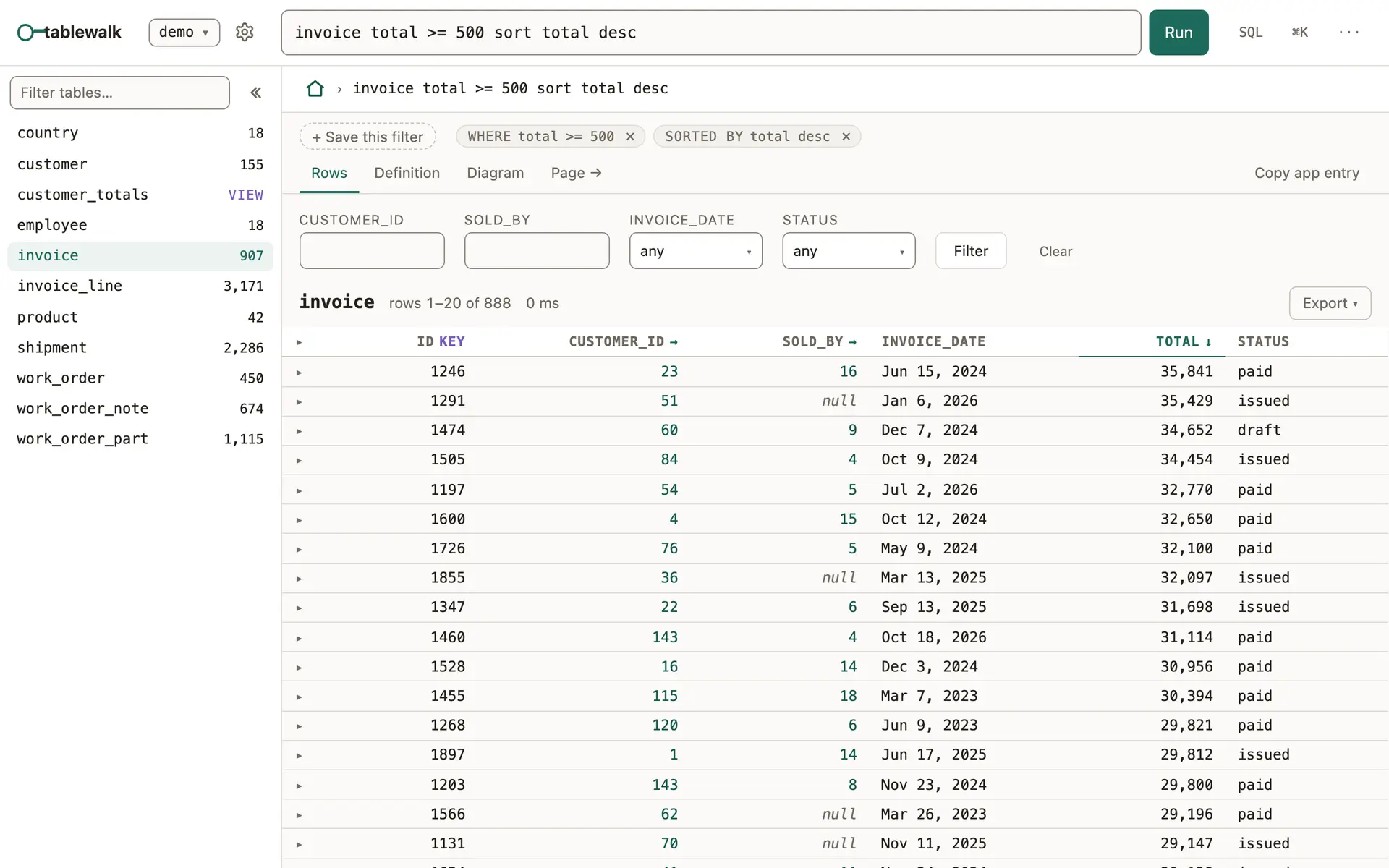
- Quick filters above the grid narrow by a column’s common values. The parts of the current query show as chips, and + Save this filter keeps it as a view.
- A column header opens a menu: pin the column, sort, or filter by equals, greater than, less than, between, is empty or is not empty.
- ▸ at the start of a row expands it in place. Click the row to open its record.
- Export downloads CSV or JSON for this page or for every matching row, or lets you choose the columns first. Agent: Copy this position copies the place you are in for a coding agent.
- The pager sets how many rows a page holds.
A table has tabs. Rows is the grid. Definition shows the table’s stored DDL as the database holds it. Diagram draws the table with the tables it points at and the ones that point at it.
A record
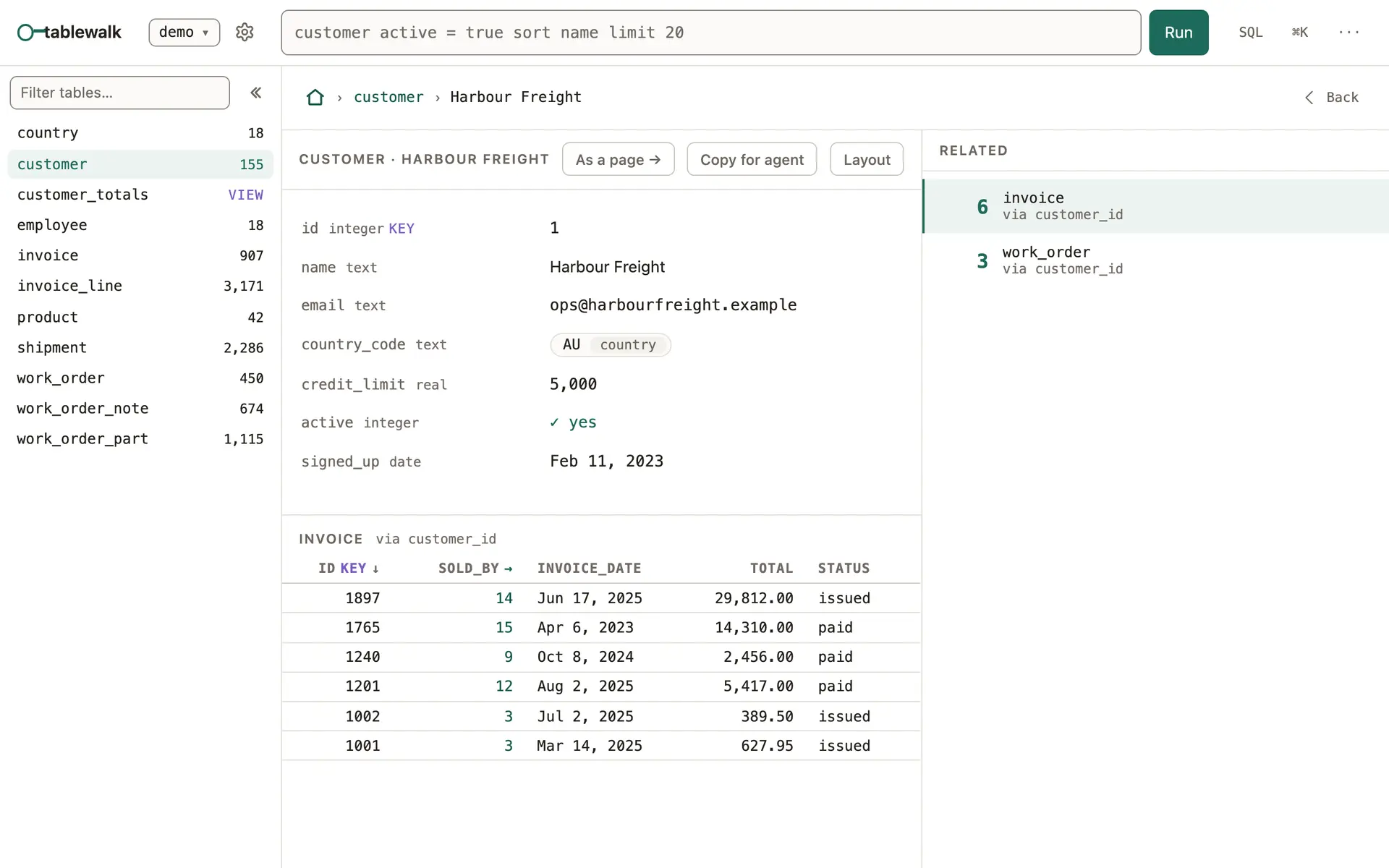
Section titled “A record”A record shows the row’s fields. A foreign key value is a link to the row it names, with that row’s table beside it. Under the fields, the rows that point at this one are listed by table, and the Related rail counts each table and the column it points through (“via invoice_id”), with the empty ones folded away. Click any of them to keep walking.
On a record:
- Layout arranges the record: which sections show, in what order, and how many related rows each list holds. See Pages and layouts.
- As a page → opens the record as a page, with its related lists as tabs.
- Copy for agent copies a short Markdown brief: the row, its table’s columns, the path you took to it, and the MCP call that reads it again.
Walking back
Section titled “Walking back”Each step is kept on a trail, shown above the record, and Back returns along it. Backspace (or ⌘[) steps back one place. Opened from a list, a record steps through that list with j and k, or with the arrows beside its name, in the list’s order and past the end of its page. In the grid, Space glances at a row’s record without leaving the list. All the keys are on Keyboard.
Addresses
Section titled “Addresses”Every place has an address in the path, so you can bookmark it or send it to someone with access to the same server. The first segment is the connection’s name.
| Address | Opens |
|---|---|
/demo/customer |
the customer table |
/demo/customer/~42 |
customer 42 |
/demo/customer/~42/~invoice:9 |
invoice 9, reached from customer 42 |
/demo/customer!diagram |
a table’s tab: !rows, !ddl or !diagram |
/demo/invoice%20total%20%3E%20500 |
a query, written in the path |
/demo/@customer~42 |
customer 42 as a page |
A composite key names each part: /demo/invoice_line/~invoice_id=1001,line_no=2 (the browser shows it percent-encoded). The same list is in the app under ? → Links you can write.
Good to know
Section titled “Good to know”- On PostgreSQL the row counts in the sidebar are the catalog’s estimates, so a large table costs nothing to list.
- A value larger than JavaScript can hold exactly (an id past 2^53) is shown as the database returned it, never rounded.